Best Beginner AI Tool (Quick Answer)
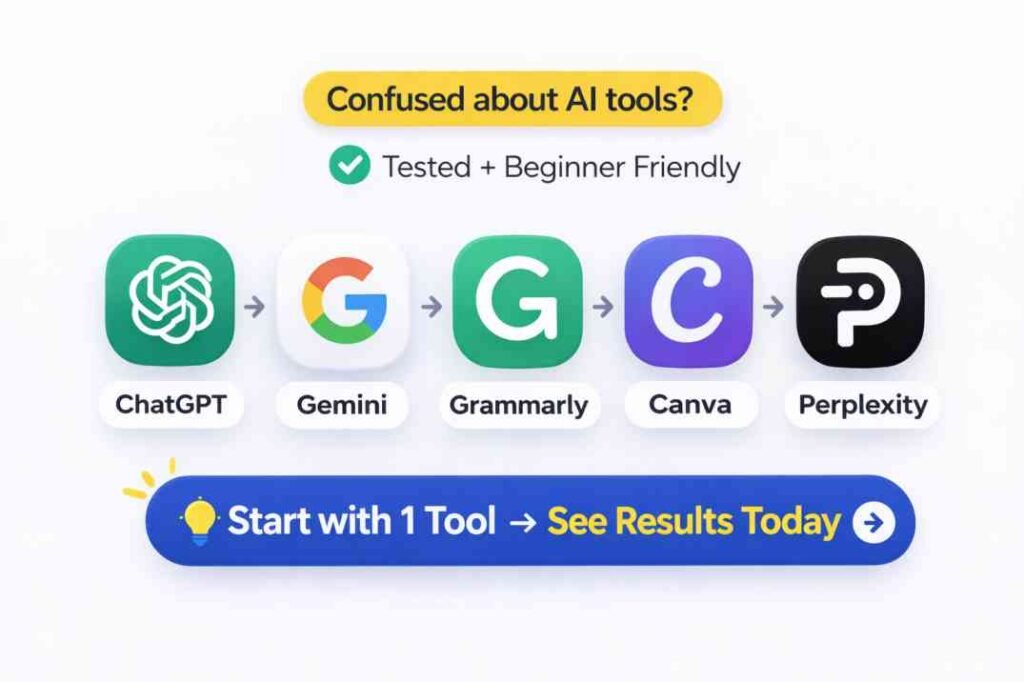
If you only want one free AI tool to start with, ChatGPT was the most versatile option tested.
However, beginners got the best results when combining tools:
- ChatGPT → drafting
- Perplexity → verification
- Grammarly → editing
- Canva AI → visuals
Introduction
Most beginners think better AI results come from switching platforms.
In testing across ChatGPT, Gemini, Perplexity, Grammarly, and Canva AI, the bigger factor was workflow quality and prompt clarity — not the AI tool itself.
This guide tests five free AI tools on the same beginner workflow and explains:
- which tool works best for each stage
- where free AI tools fail
- how beginners can avoid generic outputs and hallucinations
Key takeaway: Better AI results usually come from using the right tool at the right stage of a workflow.
Table of Contents
Why Most Beginners Get Poor AI Results
Most beginners assume bad outputs mean they picked the wrong AI tool.
In practice, the bigger problem is usually vague instructions.
During testing, the same unclear prompt produced weak results across multiple platforms. Switching from ChatGPT to Gemini did not automatically improve quality.
However, when the instruction became more specific, structured, and constrained correctly, the outputs improved immediately.
For example:
Weak prompt:
“Write an introduction about photosynthesis.”
Result:
- generic explanation
- weak structure
- no example
- heavy editing required
Improved prompt:
“Write a 100-word introduction to photosynthesis for beginners. Use simple language, include one real-life example, and avoid scientific jargon.”
Result:
- clearer explanation
- better structure
- more useful examples
- significantly less editing
The main lesson from testing was simple:
AI tools become more useful when instructions become more structured.
The Testing Setup
The goal was to test how useful free AI tools actually are for beginners working on a realistic task.
Task Tested
Create:
- a blog post introduction
- an outline
- a draft
- grammar corrections
- a featured image
using only free AI tools.
Tools Tested
- ChatGPT (free tier)
- Google Gemini (free tier)
- Perplexity AI (free tier)
- Grammarly (free tier)
- Canva AI / Magic Studio (free features)
Testing Conditions
- Same baseline task across all tools
- No paid upgrades
- Testing period: February–April 2026
- Outputs evaluated for:
- clarity
- accuracy
- structure
- editing time required
- reliability
Which AI Tasks Actually Saved Time?
| Task | Manual Time | AI-Assisted Time | Tools Used | Efficiency Gain |
| Research & Fact Check | 40 mins | 8 mins | Perplexity AI | 80% |
| Content Outlining | 25 mins | 3 mins | ChatGPT (GPT-4o) | 88% |
| Drafting & Flow | 90 mins | 45 mins | ChatGPT + Gemini | 50% |
| Grammar & Tone | 20 mins | 5 mins | Grammarly | 75% |
| Basic Visual Design | 35 mins | 10 mins | Canva Magic Studio | 71% |
The Biggest Surprise From Testing
Generating text was not the biggest time saver.
The largest efficiency gains came from:
- outlining
- research organization
- reducing decision friction
- structuring information faster
The most time-consuming part remained:
- correcting vague outputs
- fixing robotic language
- verifying invented claims
- restructuring fragmented drafts
This is why many beginners feel disappointed after using AI.
The draft appears fast. The cleanup work is not.
One surprising pattern during testing was how quickly AI-generated drafts started sounding repetitive after multiple rewrites. In several cases, editing the AI output manually became faster than continuing to regenerate prompts repeatedly.
The Workflow That Actually Worked
Most beginners use this workflow:
ChatGPT → Publish
This often fails because AI systems can confidently continue building on incorrect assumptions.
This type of staged tool chaining is part of a broader AI workflow structure designed to reduce hallucination and verification errors. See What Is an AI Workflow? for a deeper breakdown.
Research → Outline → Draft → Verify → Final Edit
Recommended Tool Chain
- Perplexity → research and source checking
- ChatGPT → outlining and drafting
- Perplexity → fact verification
- Grammarly → clarity and grammar review
- Canva AI → simple visuals
Separating research from drafting reduced hallucination risk significantly. This is one reason many AI systems produce confident but inaccurate outputs under missing context conditions, as explained in Why AI Gives Wrong Answers
Which AI Tool Should Beginners Start With?
If you only want to learn one AI tool first, start with ChatGPT.
It handled:
- outlining
- rewriting
- explanations
- formatting
- beginner-friendly drafting
more consistently than the other free tools tested.
However, the best workflow was not based on one tool alone:
- ChatGPT → drafting and outlining
- Perplexity → fact-checking and verification
- Grammarly → final editing
- Canva AI → visuals
- Gemini → quick research summaries
Beginners usually get better results by combining tools instead of expecting one platform to do everything.
Tool 1: ChatGPT (Free Tier)
Best For
- outlining
- structured drafting
- rewriting
- iterative refinement
What Worked Well
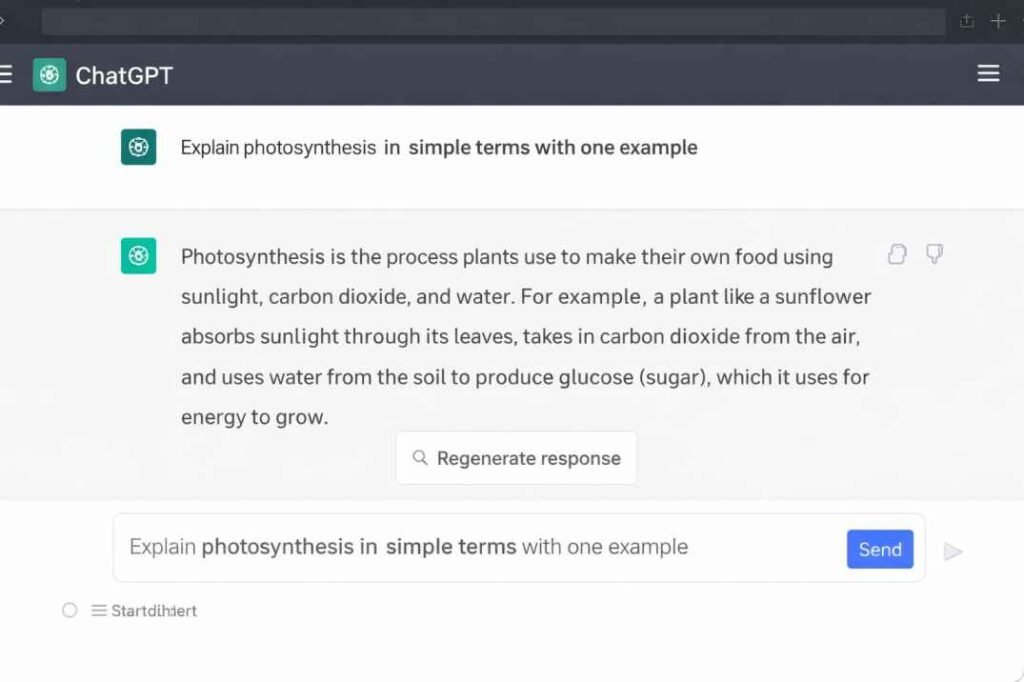
ChatGPT handled:
- article structures
- rewrites
- formatting
- beginner explanations
better than the other tools tested.
When prompts became more specific, editing time dropped sharply.
What Failed
Output quality became less reliable when too many constraints were added simultaneously.
For example:
“Write a funny, expert, SEO-optimized, short, persuasive guide with technical detail.”
This often produced hybrid outputs that satisfied none of the instructions properly.
This pattern also appeared in prompt-conflict testing and is closely related to the instruction overload problems explained in Conflicting Instructions in Prompts
Practical Beginner Tip
Instead of adding many instructions at once:
Break tasks into stages.
This staged approach works better because long multi-step prompts often reduce instruction reliability over time, especially in longer AI workflows. A deeper explanation is covered in Why Multi-Step Prompts Fail
Example:
- Generate outline
- Expand sections
- Rewrite tone
- Simplify language
- Add examples
This consistently produced cleaner outputs.
Verdict
ChatGPT was the most versatile free tool tested.
However, output quality depended heavily on prompt clarity.
Tool 2: Google Gemini (Free Tier)
Best For
- quick factual summaries
- fast topic overviews
- rapid research assistance
What Worked Well
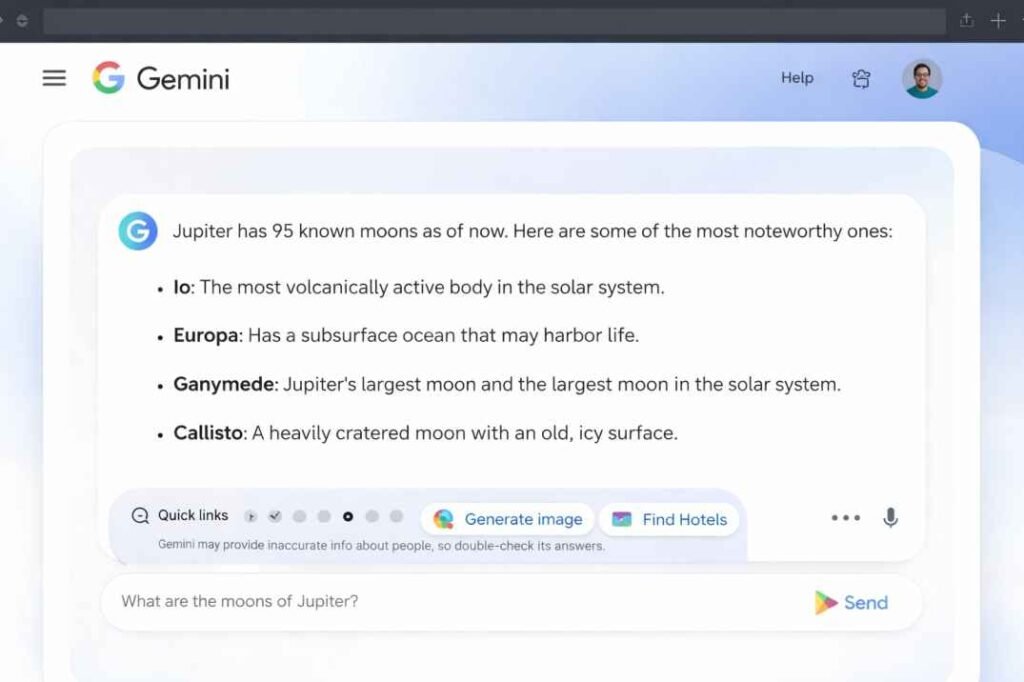
Gemini responded very quickly for:
- factual queries
- simple summaries
- web-connected overviews
In testing, it behaved more like a retrieval-focused assistant than a long-form drafting tool.
What Failed
Long-form drafting quality became inconsistent.
When asked for deeper 500-word explanations, Gemini often:
- shortened responses
- simplified too aggressively
- lost structural consistency
Best Beginner Use Case
Use Gemini for:
- topic discovery
- quick overviews
- fast comparisons
- early-stage research
Then move to ChatGPT for deeper drafting.
Verdict
Excellent for fast research.
Less reliable for detailed long-form writing.
Tool 3: Perplexity AI (Free Tier)
Best For
- fact-checking
- source verification
- current information
- reducing hallucination risk
What Worked Well
Perplexity consistently provided:
- source links
- citations
- current references
During testing, it occasionally corrected outdated information generated by other tools.
What Failed
Perplexity struggled with:
- long-form drafting
- polished writing flow
- cohesive article structures
Outputs often required restructuring.
Best Beginner Use Case
Use Perplexity after drafting.
Verify:
- dates
- statistics
- claims
- current information
before publishing.
Verdict
One of the best free verification tools available.
Not ideal for complete article drafting.
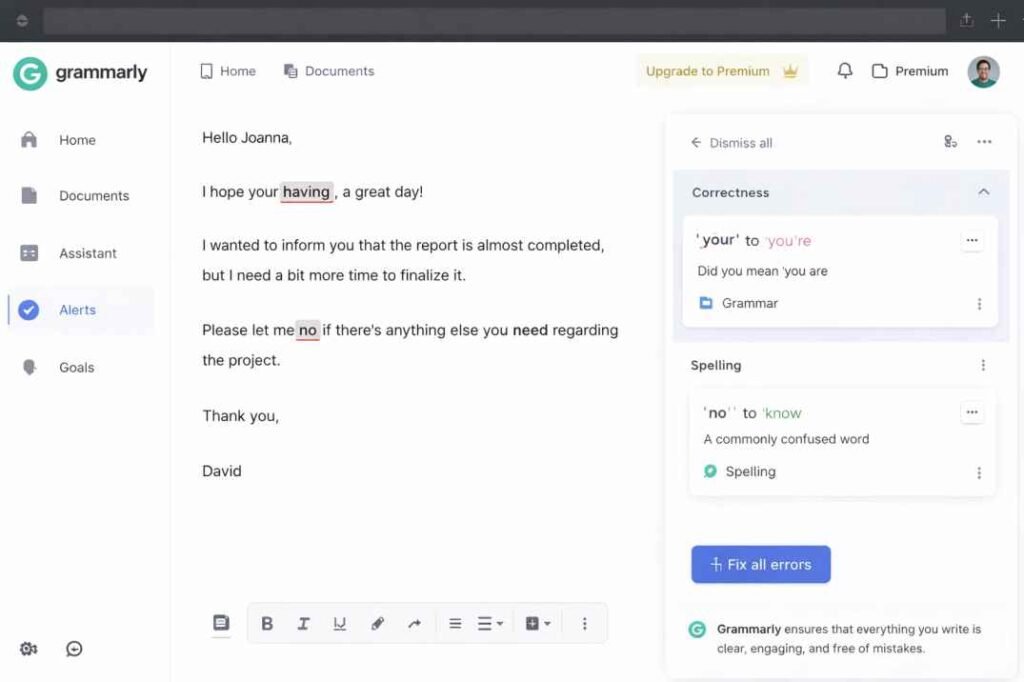
Tool 4: Grammarly (Free Tier)
Best For
- grammar correction
- sentence clarity
- final proofreading
What Worked Well
Grammarly reliably improved:
- readability
- sentence clarity
- grammar consistency
What Failed
Some suggestions reduced specificity.
In several cases, Grammarly replaced:
- precise wording
- analytical tone
- stronger phrasing
with safer but more generic language.
Best Beginner Use Case
Use Grammarly only after:
- drafting
- rewriting
- human review
Do not rely on it as the primary editor.
Verdict
Useful final polishing tool.
Not a replacement for human judgment.
Tool 5: Canva AI (Free Features)
Best For
- thumbnails
- featured images
- simple graphics
- quick blog visuals
What Worked Well
Canva AI reduced design time significantly for:
- blog banners
- simple layouts
- basic visual assets
What Failed
Default outputs often looked generic.
Most images still required:
- color adjustments
- font changes
- spacing fixes
- branding edits
before publishing.
Best Beginner Use Case
Use Canva AI for rapid first drafts.
Then customize manually.
Verdict
Helpful for non-designers.
Not ideal for highly customized branding.
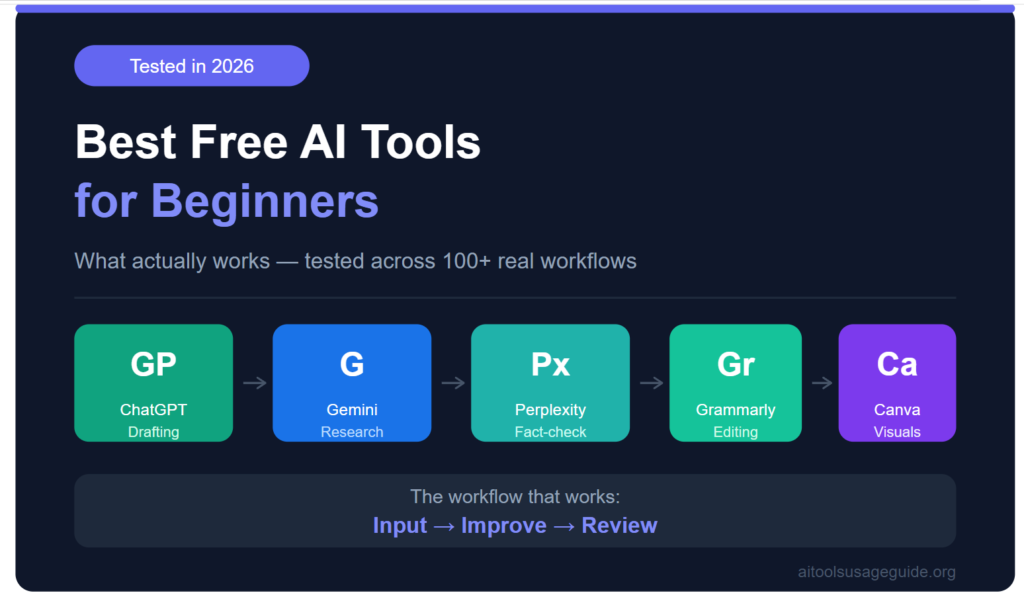
The workflow above reflects the testing structure used throughout this guide.
Common AI Failure Patterns
Many AI mistakes followed repeatable patterns during testing.
| Failure Pattern | Why It Happens | Example |
| Missing Context | Prompt too vague | “Write about marketing.” |
| Constraint Overload | Too many instructions at once | “Write a funny, expert, SEO guide.” |
| Forced Certainty | AI invents details to satisfy request | “Give exact 2026 statistics.” |
| Domain Ambiguity | AI misinterprets terminology | “Explain volume.” |
Understanding these patterns helps beginners troubleshoot bad outputs faster.
Constraint overload becomes more common when prompts contain conflicting goals, formatting demands, and tone instructions simultaneously. This failure pattern is explained further in Conflicting Instructions in Prompts
What Beginners Usually Do Wrong
1. Switching tools instead of fixing prompts
A vague instruction usually stays vague across multiple platforms.
2. Expecting one AI tool to do everything
Different tools are optimized for different tasks.
3. Publishing AI drafts without review
AI can produce fluent but inaccurate content.
Always verify important claims.
This is especially risky when AI systems generate fluent but inaccurate responses that sound authoritative. A deeper example appears in Hallucination of Authority.
4. Adding too many constraints simultaneously
Long prompts often create conflicting instructions.
5. Trusting confident wording too quickly
Readable language does not guarantee factual accuracy.
Quick Comparison Table
| Tool | Best Use | Main Strength | Main Weakness |
| ChatGPT | Drafting & outlining | Flexible structure | Needs better prompts |
| Gemini | Quick research | Fast summaries | Weak long-form consistency |
| Perplexity | Verification | Citations & current info | Weak drafting flow |
| Grammarly | Editing | Clarity improvement | Can over-simplify tone |
| Canva AI | Visuals | Fast graphics | Generic layouts |
When Not to Use Free AI Tools
Avoid relying on free AI tools when:
- legal accuracy is critical
- medical advice is required
- financial decisions depend on exact data
- real-time pricing matters
- human review is unavailable
AI systems can sound confident even when incorrect.
Frequently Asked Questions (FAQ)
Q1. Why do AI tools give different answers for the same prompt?
Ans: AI systems generate outputs probabilistically rather than through fixed deterministic logic. Small wording changes alter the probability distribution of likely outputs. Structured prompts reduce inconsistency.
Q2. Which free AI tool is best for beginners?
Ans: ChatGPT was the most flexible beginner tool tested because it handled outlining, rewriting, drafting, and explanation tasks more consistently than the others.
Q3. Do beginners need paid AI plans?
Ans: Not necessarily.
All tools tested here produced usable results on free tiers when prompts were structured carefully.
Q4. Why are free AI tools sometimes unreliable?
Ans: Most AI systems predict likely outputs rather than verify truth. Output quality depends heavily on prompt clarity, context quality, task complexity, and verification processes.
Final Verdict
The most useful lesson from testing was this:
Better results came from better workflows — not from constantly changing AI tools. In most cases, improving the prompt structure and verification process mattered more than changing platforms entirely.
The most effective beginner workflow was:
Research → Outline → Draft → Verify → Review
The tools that saved the most time were not necessarily the most advanced.
They were simply used at the correct stage of the process.
Start with one tool. Improve the instruction. Review the output carefully.
That approach consistently produced better results than chasing newer AI platforms.
The most effective beginners were not the ones using the newest AI tools. They were the ones who learned how to structure instructions, verify outputs, and build repeatable workflows.
Related Guides
- Why AI Gives Wrong Answers
- Conflicting Instructions in Prompts
- What Are AI Tools?
- Why Multi-Step Prompts Fail
- AI Tools vs AI Models
Free AI tools work best when treated as assistants inside a structured workflow — not as fully autonomous replacements for human judgment.
References
- Google Search Central. Creating Helpful, People-First Content. https://developers.google.com/search/docs/fundamentals/creating-helpful-content
- Google Search Central. Using AI-Generated Content. https://developers.google.com/search/docs/fundamentals/using-gen-ai-content
- Brown et al. (2020). Language Models are Few-Shot Learners. https://arxiv.org/abs/2005.14165

The founder of AI Tools Usage Guide and an independent AI workflow researcher focused on prompt reliability, hallucination risks, and operational AI behavior. His work analyzes how AI systems fail under missing context, outdated information, and verification gaps.
- Why AI Gives Generic Answers: Causes, Examples and Fixes - June 9, 2026
- Why AI Repeats Itself: The Problem of Advice Recycling - June 2, 2026
- Why AI Loses Context in Long Conversations - May 25, 2026