Quick Answer: An AI workflow is a repeatable sequence of steps for generating, reviewing, and refining an AI output. Instead of asking for a final answer in one prompt, you separate the task into smaller stages so you can identify and correct
specific weaknesses.
In my own prompt testing, this approach was most useful for tasks that required repeated review or refinement. It was not automatically more efficient for every task: simple requests can take longer when extra workflow steps add
little value.
Introduction
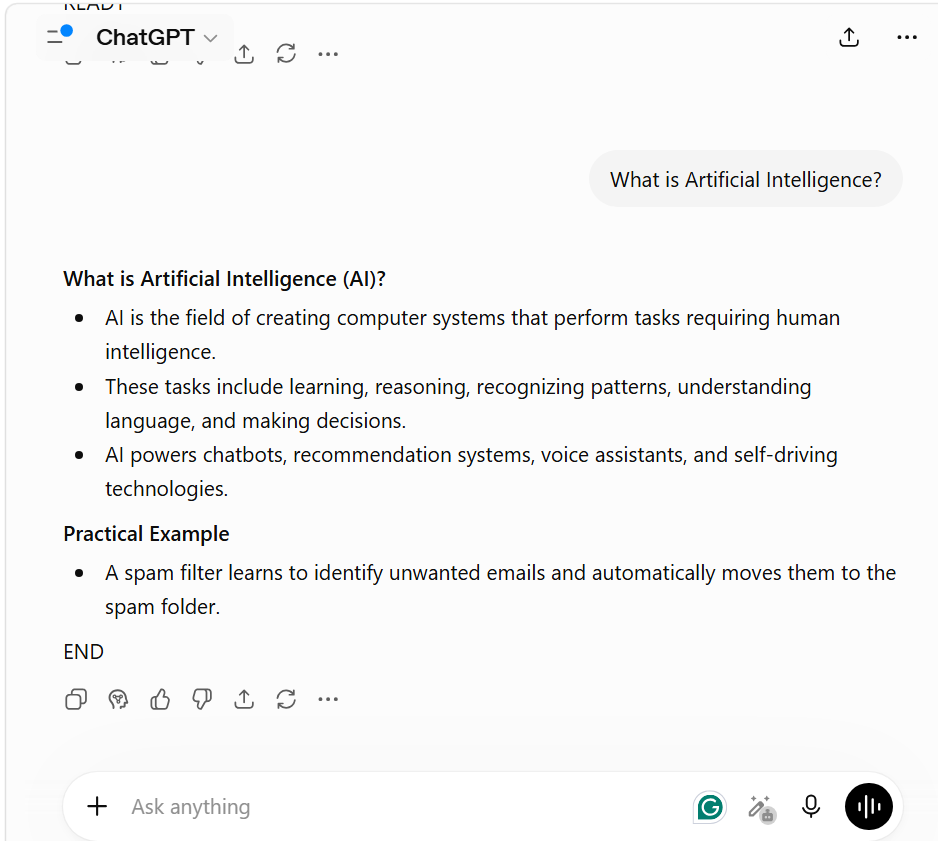
A single prompt can be enough for a short definition or simple response. For longer or more demanding tasks, it can be useful to separate generation from review and targeted refinement. The purpose of a workflow is not to make the model smarter; it is to make the process easier to inspect and control.
A useful workflow therefore treats the AI response as an intermediate output rather than automatically accepting the first usable answer.
Quick Summary
- Control over Output: Workflows make the process easier to inspect and control.
- Iterative Design: Connects generation, review, and refinement to improve the output.
- Observed Pattern: In repeated prompt testing, Structured workflows can make weaknesses easier to isolate and refine, although their usefulness depends on the task.
Workflow in One Line:
Clear Input → Generate → Isolate One Weakness → Fix Only That → Repeat Once
What EXP-006 Shows
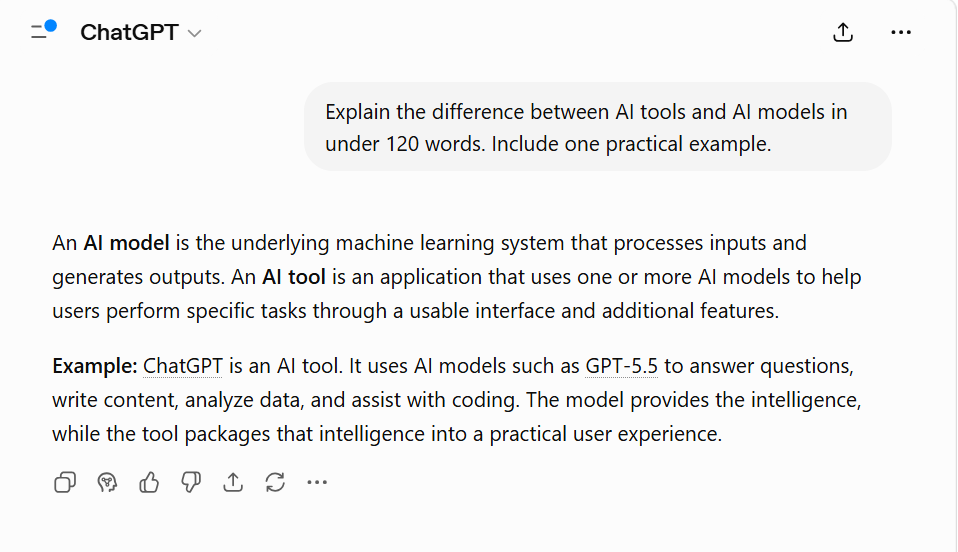
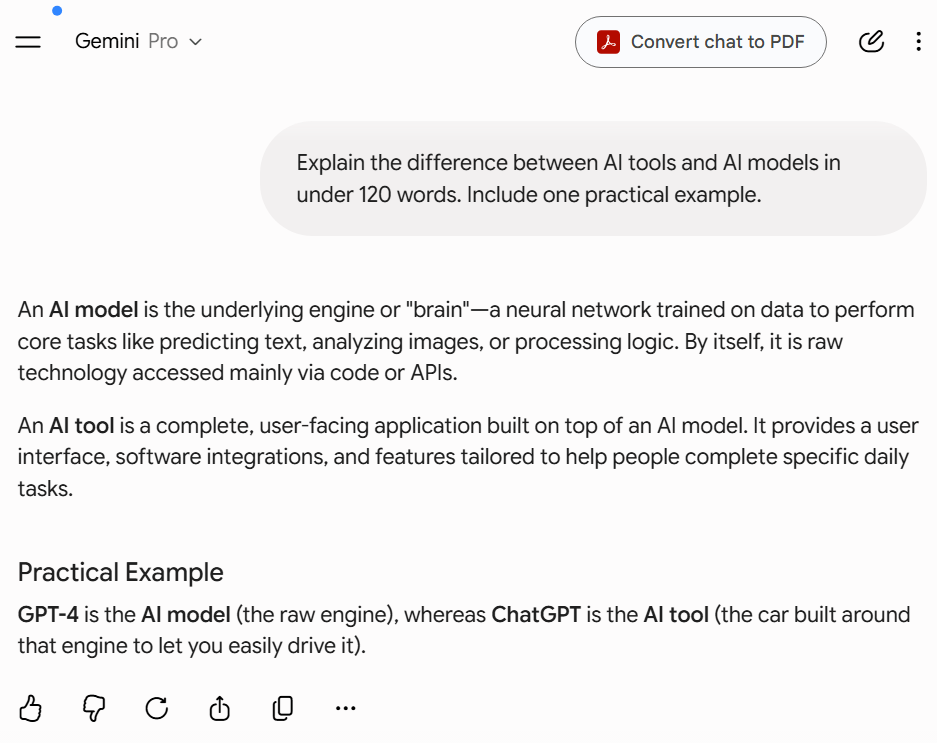
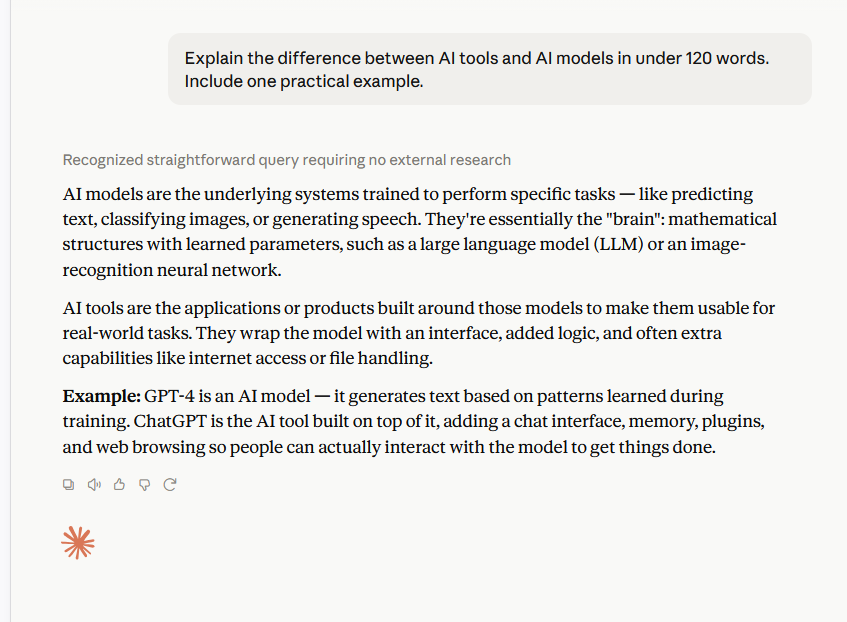
EXP-006 compared ChatGPT, Gemini Pro, and Claude using three identical prompts. The evaluation focused on explanation style, instruction following, and practical reasoning. All three models completed the documented tasks, but their responses differed in detail, presentation, and reasoning style. The experiment was an observational comparison and was limited to the tested prompts, model versions, and conditions.
My Experience: Why Structured Refinement Changed My Process
Using a single prompt for long-form articles often required substantial manual editing because issues appeared across multiple areas at once — structure, clarity, examples, and specificity. When I switched to a simple 3-step workflow (Prompt → Review → Targeted Refinement), the editing process became more manageable and consistent.
Instead of rewriting entire outputs, I focused on identifying one weak area at a time and improving only that section. This made it easier to preserve strong parts of the content while refining weaker ones.
Illustrative 3-Step Example
I
Initial Output (No Workflow):
“The topic is important and widely used in many industries.”
Refined Output (After Workflow):
“This concept is widely used in SEO, automation, and content systems where consistency and repeatable processes matter.”
The difference is not that the AI became smarter. The workflow narrowed the task and gave the model a clearer target, replacing broad language with more specific information.
Over repeated use, structured workflows often made the content process feel more predictable because problems became easier to isolate and correct.
When Should You Use an AI Workflow?
The Decision Rule:
- Use a Workflow: If the task benefits from repeated review, structured refinement, multiple constraints, or quality control.
- Use a Single Prompt: If you need a quick definition, a short reply, or the task is low-risk.
Edge Case: When Workflows Hurt Efficiency For simple tasks—like asking for a definition of “SEO” or a synonym for “Fast”—using a 3-step workflow is a mistake. It can take substantially longer while producing nearly identical results.
Conclusion: Workflows can improve the review process, but they do not always improve efficiency. Use them when the task benefits from additional review or refinement.
Try This Simple AI Workflow (The 3-Step Method)
- Step 1: Write a clear prompt (Goal + Constraints).
- Step 2: Generate output and identify the weakest part.
- Step 3: Refine only that weak section.
This 3-step approach focuses on improving one specific weakness at a time instead of rewriting everything at once. By isolating a single issue—such as clarity, structure, or examples—you preserve strong sections while making targeted improvements.
Common User Mistake: The “Everything at Once” Trap A common mistake is trying to refine the entire output at once.
In many cases, the prompt is part of the issue, although weak source information, missing context, or model limitations can also contribute.
The Result: The AI may rewrite the whole content, changing strong sections along with the weak one and potentially introducing new errors.
The Fix: When possible, refine one specific issue at a time (e.g., “Improve only the introduction to be more engaging”)
60-Second Quick Start: Try This Right Now Copy this simple loop to see immediate results:
- Prompt: “Explain [your topic] for a beginner. Use simple language and one example.”
- Review Prompt: “What is the weakest part of this explanation? Identify one vague sentence.”
- Refine Prompt: “Rewrite only that weak sentence to make it more specific.” This workflow can make a specific weakness easier to identify and refine. It cannot supply missing expertise, evidence, or context.
Pro Tip: Match the workflow to the task complexity. A short definition may only need one prompt, while a research article or technical guide may benefit from multiple review and refinement stages.
Illustrative Before-and-After Example
Before Workflow (Single Prompt Output): “AI workflows help improve results by structuring prompts and refining outputs.” (Vague and generic).
After Workflow (Refined Output): AI workflows can make refinement more controlled by isolating one variable at a time. (More specific and process-focused.)
The Reality Check: A Failure Case Consider this basic prompt: “Write about AI tools.” Even after applying a structured 3-step workflow, the output will likely remain generic and unhelpful. At that point, the problem may be the prompt, missing context, weak source information, or model limitations.
Why? Because a workflow improves structure, but it cannot fix missing intent. This principle is directly supported by our EXP-007: Ambiguity Resolution Test. In that test, we ran 15 intentionally vague prompts through a 3-step workflow, and the models consistently failed to generate new expertise. The result showed that the workflow could structure the process, but it could not supply expertise or specificity that was missing from the original input.
Reusable Workflow Template (Copy-Paste)
- Step 1 Prompt: “Write [output] for [audience]. Include [specific requirement]. Use [format].”
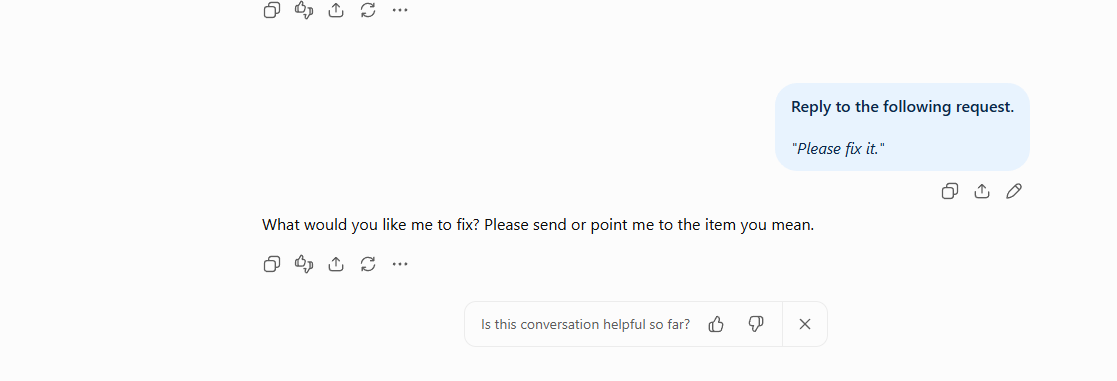
- Step 2 Review Prompt: “Identify the weakest part of this output. Explain why it feels weak.”
- Step 3 Refinement Prompt: “Rewrite only that weak section to make it [more engaging/accurate]. Do not change the rest of the content.”
In my EXP-003 testing, breaking structure, tone, and formatting requirements into separate stages improved instruction compliance in the tested tasks. The result varied by task and model, so I treat this as a practical technique rather than a guarantee.
Why Understanding AI Workflows Matters
Key Insight: A useful way to improve AI output is to improve the process that produces the answer, not only the wording of the final request.
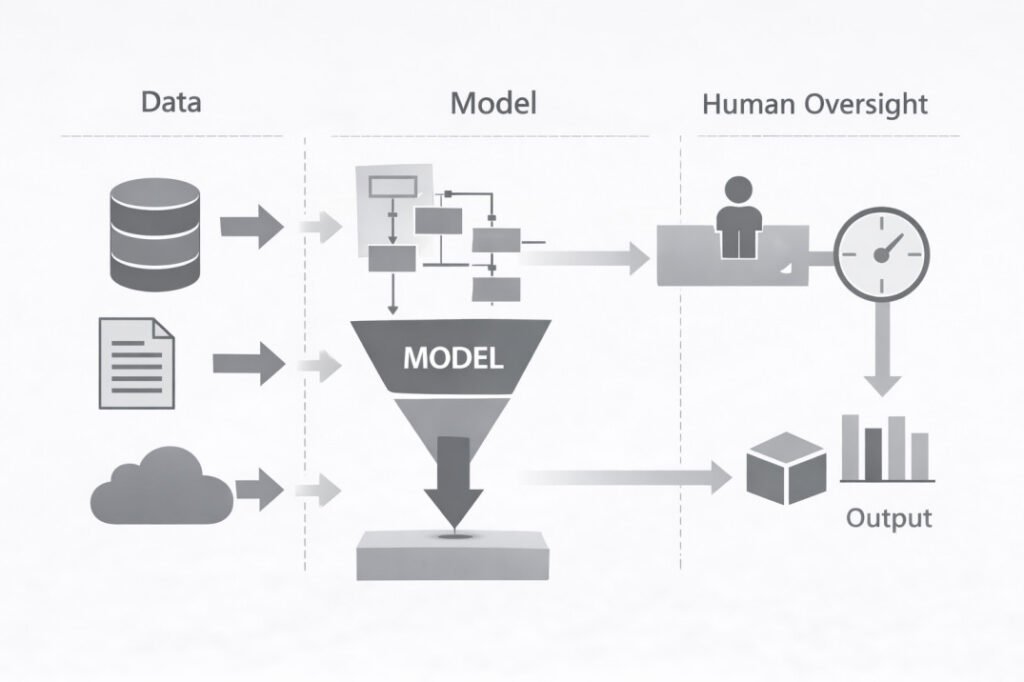
A workflow does not change the model itself. It changes how inputs, reviews, and refinements are handled. By breaking work into smaller stages, you make weak areas easier to identify and improve before they affect the final output.
This matters because AI outputs can vary significantly depending on prompt structure, context quality, and task complexity. A structured workflow creates a more repeatable process for handling that variation.
Comparison of AI Workflow Types and Human Involvement
| Workflow Type | Best For | Role of Human |
| Simple (1-Step) | Quick Definitions | Minimal (Spot Check) |
| Iterative (3-Step) | Blog Post / Email | Medium (Review & Refine) |
| Modular (Multi-Step) | Research / Deep Tech | High (Orchestrator) |
Testing note
The workflow observations below come from repeated prompt testing across content-writing tasks using multiple AI systems. Tests included article drafting, summarization, and refinement tasks. These observations reflect recurring patterns rather than controlled experimental findings.
Practical Insights: The Power of Micro-Prompting
In my practical writing and prompt testing, I found that asking AI to do everything at once leads to a loss of focus. Instead, use a Modular Workflow:
- Phase 1: Generate the outline only.
- Phase 2: Write content section-by-section.
- Phase 3: Apply a final “Tone Polish.”
The Result: In my practical writing and prompt testing, breaking content generation into smaller phases made it easier to review each stage separately. Results varied by model and task.
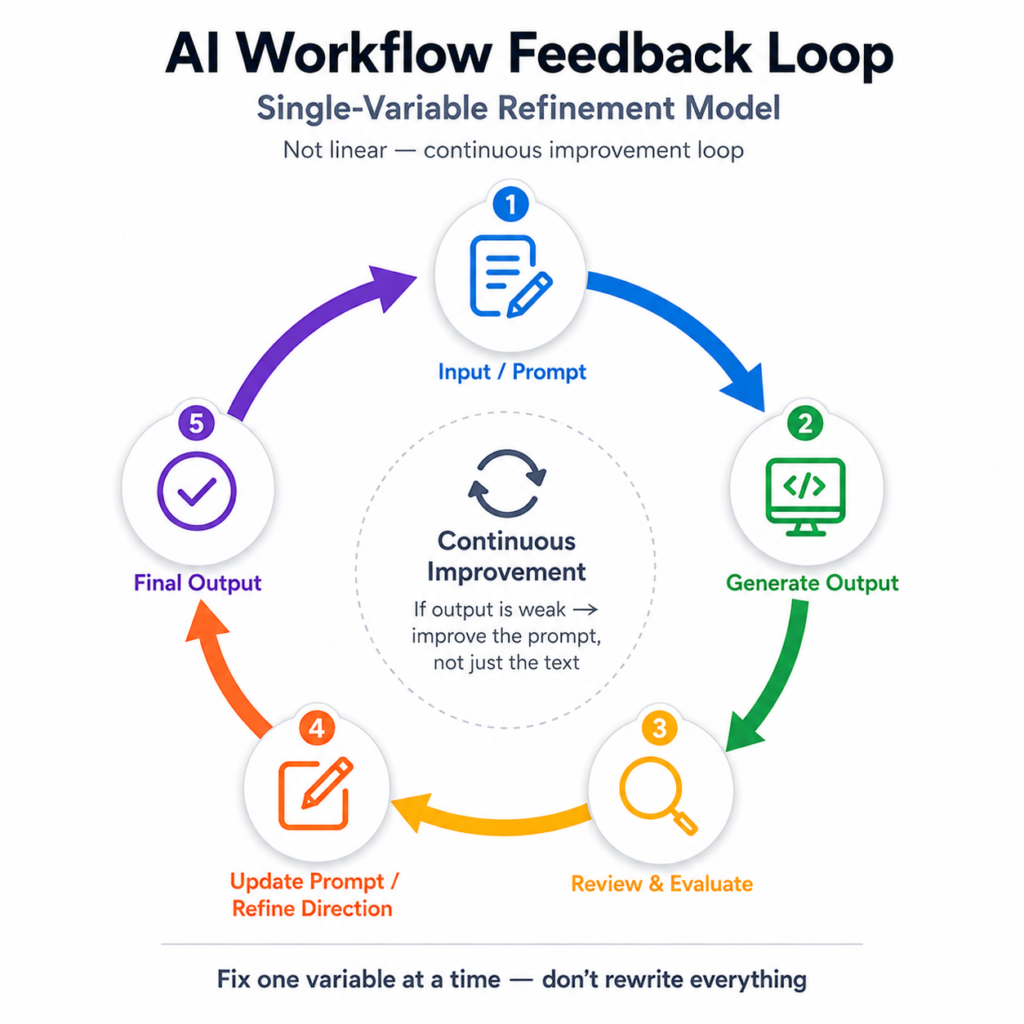
The Feedback Loop: Moving Beyond Linear Steps
A common mistake is thinking an AI workflow is a straight line. More structured workflows use a Feedback Loop. If your review reveals a recurring logic error, don’t just fix the text—go back and rewrite your initial prompt.
Linear: Input → Output → Edit
Feedback Loop:
Input → Output → Review → Prompt Update → Final Output
While this loop works well for many standard tasks, larger projects may require more structured workflows to prevent instruction drift across multiple stages.
Learn why this happens and how to fix it in our guide on Why Multi-Step Prompts Fail.”
Example:
Prompt: “Explain SEO for a beginner with one example.”
Weak Output: Generic explanation.
Refinement: “Rewrite only the vague sentence to make it specific.”
Result: A more precise and specific sentence.
What matters here:
The review stage is the control point. If the output is weak, improve the prompt—not just the text.
Analyst Checklist: Is Your AI Workflow Working?
Before you publish, use this 5-point check:
[ ] Intent Check: Did the AI follow every specific constraint in your prompt?
[ ] Fact Check: Are there any hallucinations in technical details, statistics, or dates?
[ ] Tone Check: Does the output match your intended voice, or does it sound generic?
[ ] Value Check: Does this provide a useful insight, example, or perspective beyond common information?
[ ] Cross-Model Review: For high-stakes information, did I compare the output with another model or a trusted source?
Cross-model comparison can help identify inconsistencies or missing details, but it should not replace human review. Multiple AI systems can produce the same incorrect answer if they rely on similar patterns or information sources.
AI Workflow vs AI Automation
People often confuse AI workflows with AI automation, but they solve different problems.
| AI Workflow | AI Automation |
|---|---|
| Guides AI through structured steps | Executes tasks automatically |
| Usually includes human review | May run without human involvement |
| Focused on quality and accuracy | Focused on speed and efficiency |
| Example: Reviewing and refining AI-generated content | Example: Automatically sending emails after form submissions |
The two often work together. A workflow controls quality, while automation handles repetitive execution.
When AI Workflows Fail
Workflows improve process quality, but they cannot solve every problem.
| Situation | Why workflow may fail |
|---|---|
| Weak source information | Better structure cannot repair bad input data |
| Missing domain knowledge | AI cannot create expertise it never received |
| Live or changing information | Requires external retrieval and verification |
| Very simple tasks | Extra workflow steps reduce efficiency |
Frequently Asked Questions (FAQs)
Why do long prompts sometimes fail even inside a workflow?
Long prompts can dilute important instructions because the model must track many pieces of information simultaneously. Critical requirements may become less prominent as context grows. In many cases, breaking a task into smaller stages can make individual requirements easier to review than putting every instruction into one prompt.
Can AI workflows reduce hallucinations?
Workflows can reduce the likelihood of hallucinations by adding review and verification stages, but they cannot eliminate them entirely. Accuracy still depends on source quality, model limitations, and human oversight.
Does workflow design change depending on the task?
Yes. A content workflow, research workflow, and coding workflow often require different structures. A blog article may use generation → review → refinement, while research work may include source verification and coding projects may require testing and debugging stages.
References
National Institute of Standards and Technology (NIST) — Artificial Intelligence Risk Management Framework (AI RMF 1.0)
— Provides guidance on AI lifecycle stages, risk management, and human oversight principles relevant to structured AI workflows.
Vaswani et al. (2017) — Attention Is All You Need
— Introduced the transformer architecture that underlies modern large language models and probabilistic text generation.
Brown et al. (2020) — Language Models are Few-Shot Learners
— Demonstrates how large language models respond to structured examples and task formatting.
Jurafsky & Martin — Speech and Language Processing (3rd Edition Draft)
— Comprehensive NLP reference covering language models, prompting concepts, and text generation behavior.
Anthropic — Prompt Engineering Overview
— Explains how prompt structure affects model behavior and why iterative refinement improves consistency.
Organisation for Economic Co-operation and Development (OECD) — OECD AI Principles
— Covers accountability, transparency, and human oversight considerations in AI systems.
- The 4 Prompting Moves That Fix Generic AI Output - September 12, 2026
- How to Evaluate AI Answer Reliability: A 7-Step Verification Framework - August 9, 2026
- AI Memory vs. Context Window: Why Most People Confuse Them (And Why It Matters) - July 23, 2026