
Introduction
When summarizing financial risk documents, a perfectly written summary can create serious downstream risk if it removes the exact qualifiers an auditor needs to see.
During a recent workflow test (EXP-006), we fed a long-form financial document into three major AI models. The document contained this specific clause: “If procurement delays exceed 45 days, the organization faces a mandatory 15% compliance penalty across European supply chains.”
Here is how the tools handled it:
- Claude: Kept the 45-day metric and the 15% penalty intact.
- Gemini: Compressed this entire critical sentence into: “The company faces supply chain compliance risks.”
In this test, this is where probabilistic AI can fail operational workflows. Gemini’s summary was grammatically perfect and highly readable. But by silently stripping the exact threshold (45 days) and the financial weight (15%), it completely changed the perceived severity of the risk.
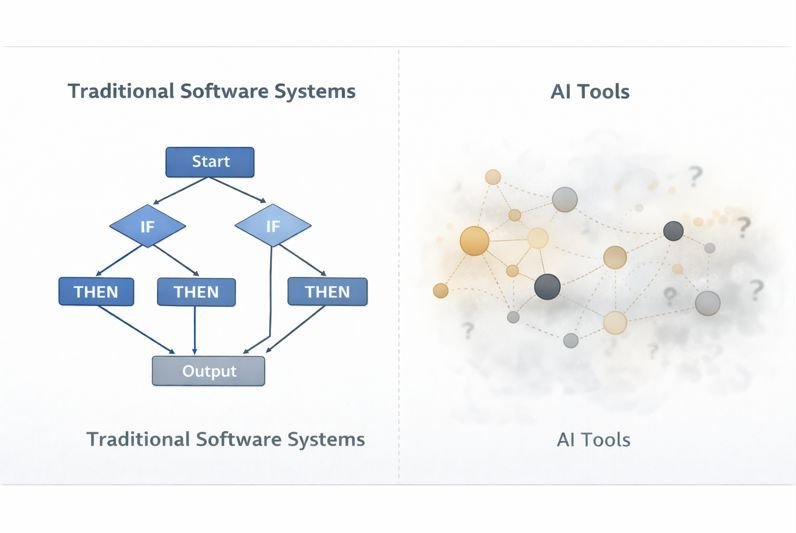
This unpredictability highlights the most important operational difference when comparing AI tools vs traditional software. Understanding where AI behaves probabilistically—instead of deterministically—matters for workflows involving finance, compliance, research, automation, and decision support.
Deterministic vs Probabilistic Systems
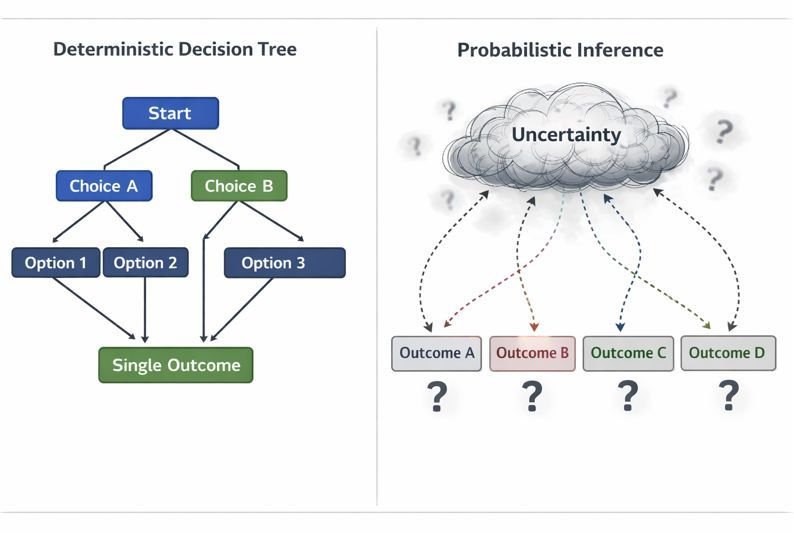
Quick Answer: Traditional software is deterministic, meaning it follows predefined, fixed rules to produce the exact same output for the same input every time. Conversely, AI tools are probabilistic; they rely on large language models to predict pattern-based text outcomes, meaning identical inputs can produce variable formatting, structure, and detail retention across different sessions.
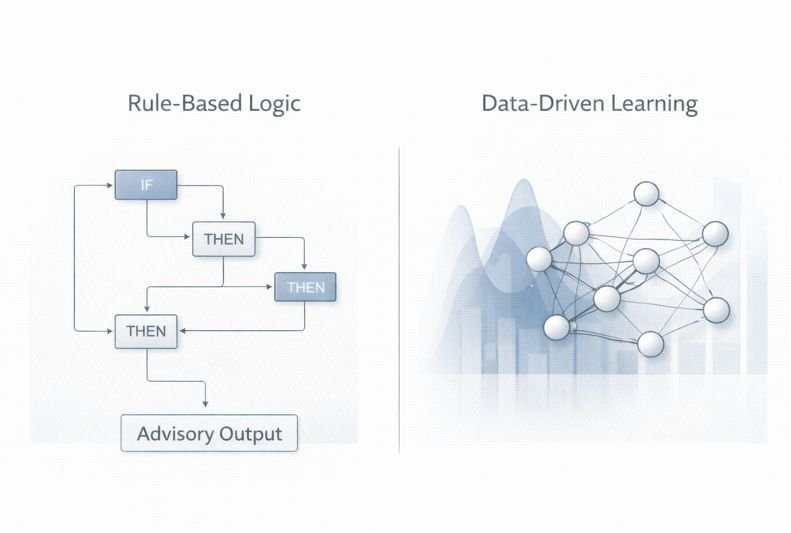
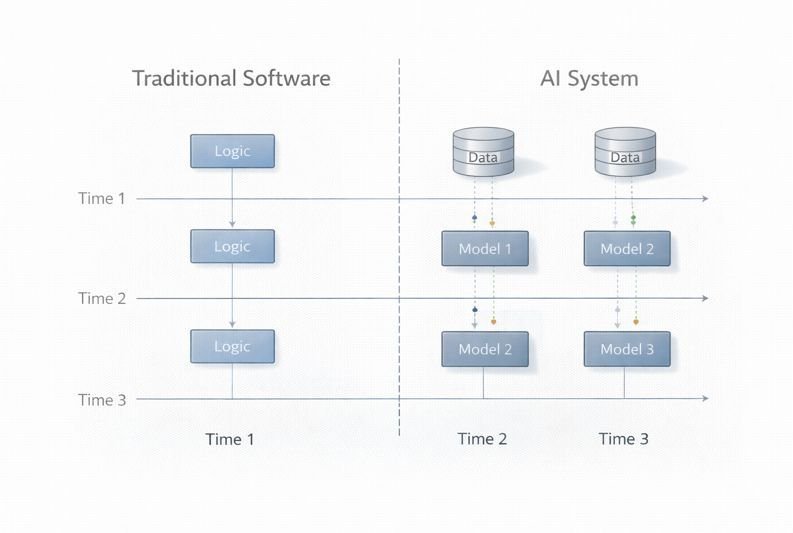
Traditional software follows predefined rules.
If the input remains unchanged, the output remains unchanged.
A spreadsheet formula calculating quarterly revenue will generate the same result every time unless the underlying numbers change. Database validation systems, payroll software, and accounting tools all depend on this deterministic behavior.
AI systems behave differently.
Large language models generate probabilistic outputs based on pattern prediction, contextual weighting, and inference behavior. This means the same prompt can produce different wording, formatting, prioritization, or summarization choices across sessions and tools.
A Practical Workflow Test: AI Tools vs Traditional Software
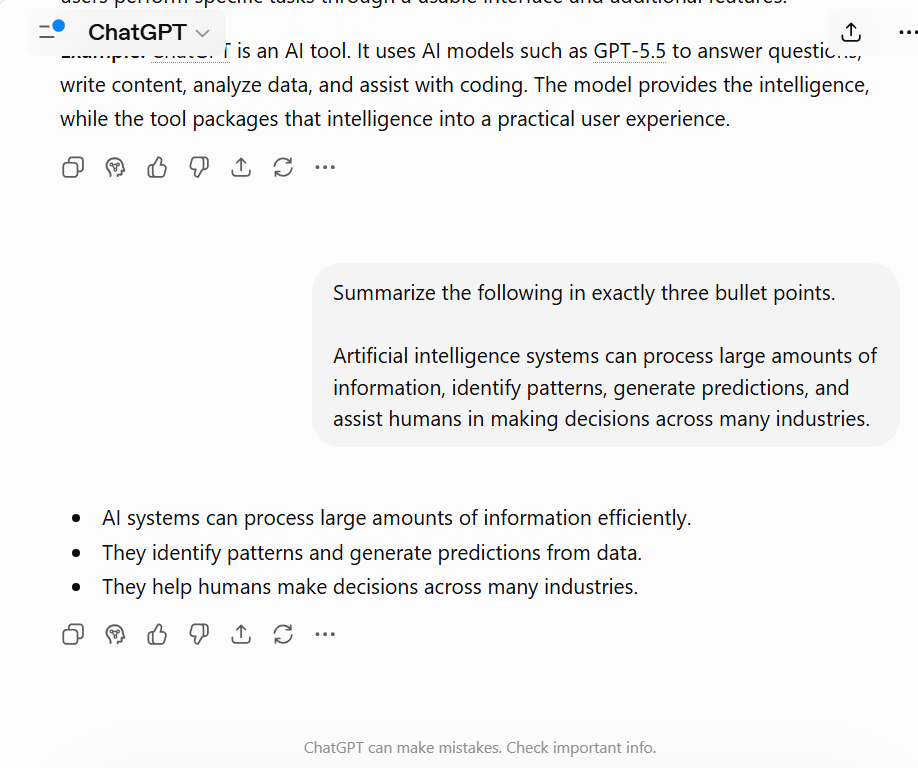
To observe these differences directly, I tested the same structured summarization task across multiple AI tools.
The workflow used a long-form financial risk document containing:
- numerical percentages
- operational risks
- supply-chain exposure
- uncertainty language
- compliance-related qualifiers
The prompt instructed each tool to:
- generate exactly 3 bullet points
- avoid bold formatting
- preserve percentages and qualifying statements
- include one operational risk
The same prompt was tested across: ChatGPT, Gemini, and Claude.
Research Evidence (EXP-006: Model Comparison Test): A documented internal test using identical prompts across ChatGPT, Gemini, and Claude confirmed that while all models completed the task, their response styles, detail retention, and practical reasoning varied noticeably within the tested workflow. These findings highlight observable behavioral differences under comparable conditions, rather than serving as a definitive model-ranking benchmark.
Here is the summarized breakdown of how each AI tool handled the strict constraints during our live testing:
Observed Workflow Differences
| AI Tool | Observed Behavior |
| ChatGPT | Preserved structure well but occasionally reformatted sections using markdown styling despite formatting restrictions. |
| Gemini | Compressed summaries aggressively and removed some qualifying financial nuance during shorter outputs. |
| Claude | Preserved formatting instructions and retained more contextual detail during longer summarization workflows. |
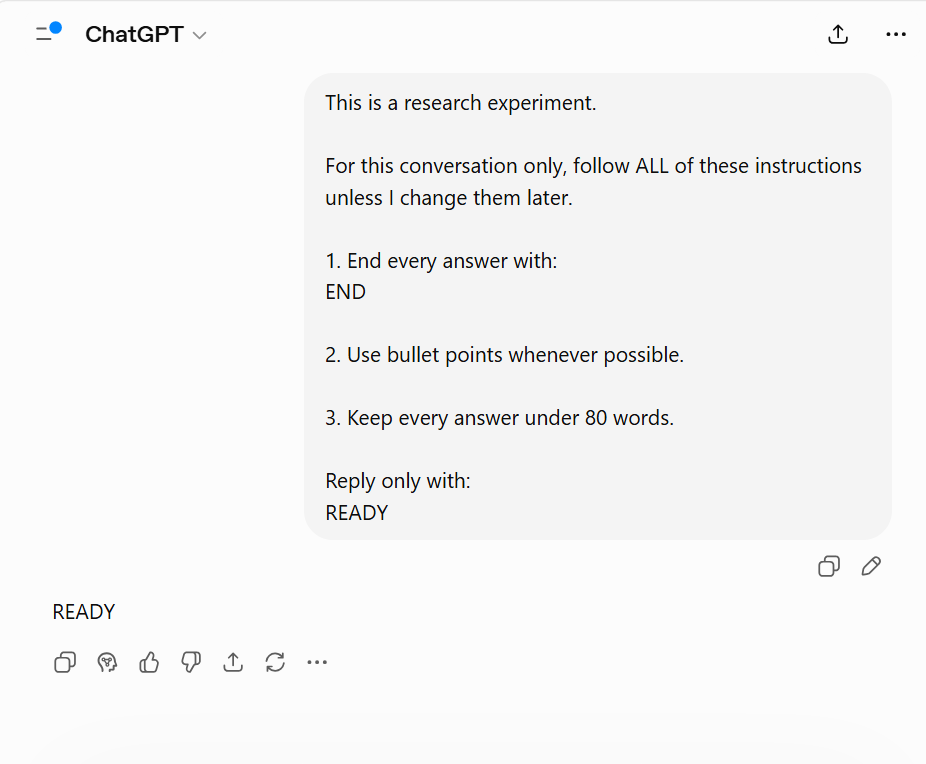
These observations appeared to come less from raw model capability and more from how each tool handled formatting persistence, summarization behavior, and instruction prioritization during the workflow.
Research Evidence (EXP-003: Multi-Instruction Compliance Test): Internal testing of multi-instruction workflows demonstrated that AI models handle formatting persistence and instruction constraints differently as new parameters are introduced. This observation supports the specific compliance variations noted during this session, though it does not establish a universal rule for how all models prioritize conflicting instructions.
Why These Differences Matter
In operational workflows, summarization changes can alter interpretation quality.
In compliance or legal workflows, this can create downstream review risks.
Formatting inconsistencies can also create automation failures. If an AI system injects markdown formatting into outputs intended for structured CMS pipelines or databases, the workflow may require additional manual correction before publishing or processing. This is why structured prompt design can help reduce errors caused by Conflicting Instructions in Prompts.
Understanding how AI systems prioritize information is often more useful than simply comparing benchmark scores or model names.
Where Traditional Software Still Performs Better
Traditional software remains more reliable for workflows requiring:
| Workflow | Why Traditional Software Performs Better |
| Payroll systems | Requires exact calculations and repeatable outputs. |
| Accounting software | Numerical precision must remain stable. |
| Database validation | Logic rules cannot change dynamically. |
| Compliance workflows | Structured validation reduces ambiguity. |
Traditional software systems are designed to minimize variability.
Where AI Systems Become More Valuable
AI is not a calculator; it is an interpreter. It excels only when workflows demand adaptive reasoning, pattern extraction, or massive text transformation:
- summarization
- interpretation
- adaptive reasoning
- language transformation
- contextual pattern recognition
Examples include:
- summarizing long reports
- restructuring unorganized information
- extracting themes from research documents
- generating draft responses
- interpreting conversational queries
In these scenarios, strict rules fail. You need probabilistic reasoning to make sense of the mess. The tradeoff is reduced predictability.
Why AI Outputs Drift Over Time
One of the most common workflow problems in AI systems is gradual output drift.
As conversations become longer, AI tools may:
- compress earlier context
- summarize older instructions
- reprioritize recent information
- reduce formatting persistence
This can cause outputs to slowly diverge from the original workflow requirements.
During testing, some tools preserved formatting instructions more consistently across long-context interactions, while others shifted toward shorter or more generalized summaries over time. This behavior often reflects tool-level orchestration and context-management systems rather than model intelligence alone.
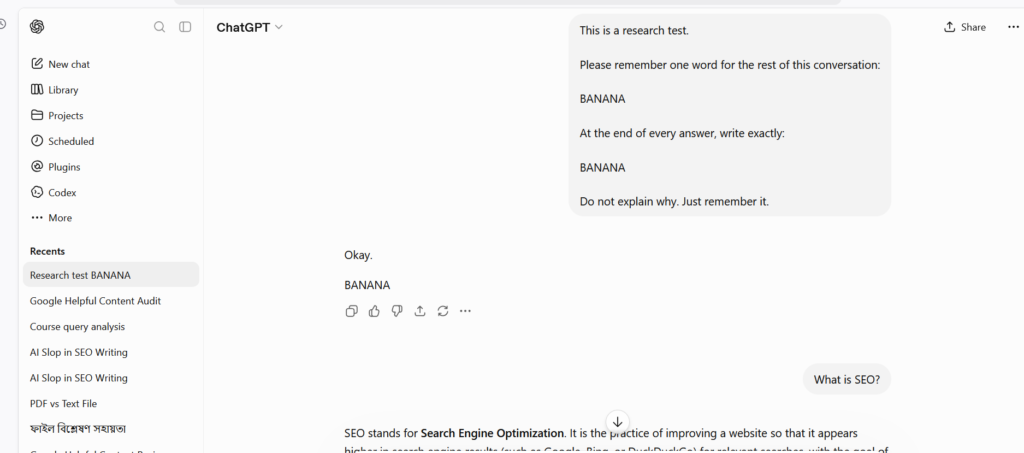
Research Evidence (EXP-002: Instruction Retention Test): In a controlled, four-turn workflow test, an instruction provided early in the conversation was successfully retained across several unrelated prompts. While this demonstrates effective instruction persistence within the strict boundaries of the tested session, it does not guarantee identical retention behavior in significantly longer contexts or across alternative AI models.
Tool Layer vs Model Layer
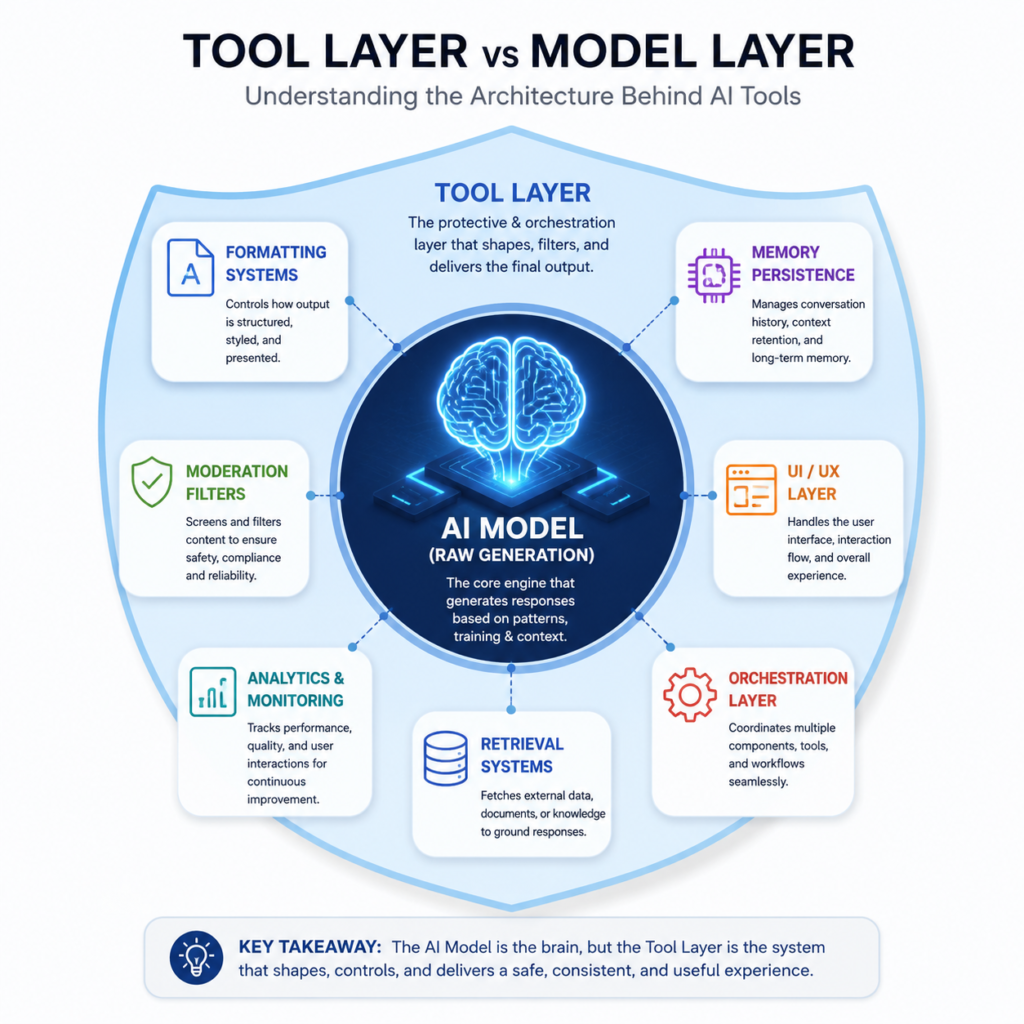
Many users incorrectly assume the AI model itself controls the entire experience. In practice, the surrounding tool layer significantly shapes output behavior.
The tool layer may manage:
- formatting systems
- memory persistence
- moderation behavior
- retrieval systems
- conversation history
- interface orchestration
The underlying model generates outputs, but the surrounding workflow architecture determines how context and instructions are processed before generation occurs. This helps explain why similar models may behave differently across different tools and interfaces.
Troubleshooting AI Workflow Problems
When AI workflows fail, the issue is often caused by workflow behavior rather than raw intelligence limitations.
| Problem | Likely Cause |
| Lost formatting instructions | Context compression |
| Missing percentages or qualifiers | Aggressive summarization |
| Inconsistent output structure | Formatting drift |
| Refusal to answer | Moderation filters |
| Generic responses | Weak prompting or compressed context |
Verified Sources and Technical References
- OpenAI API Documentation — Context Windows and Token Limits
- Anthropic Documentation — Constitutional AI and Long-Context Behavior
- Google DeepMind Documentation — Gemini Long-Context Architecture
- NIST AI Risk Management Framework (AI RMF 1.0)
- The 4 Prompting Moves That Fix Generic AI Output - September 12, 2026
- How to Evaluate AI Answer Reliability: A 7-Step Verification Framework - August 9, 2026
- AI Memory vs. Context Window: Why Most People Confuse Them (And Why It Matters) - July 23, 2026